We’ve all been there. You are right in the middle of downloading a massive, crucial file—maybe it’s a high-res video project, a heavy software package, or a folder full of research data. You’re watching the progress bar inch closer to 100%, and suddenly, everything stops dead in its tracks.
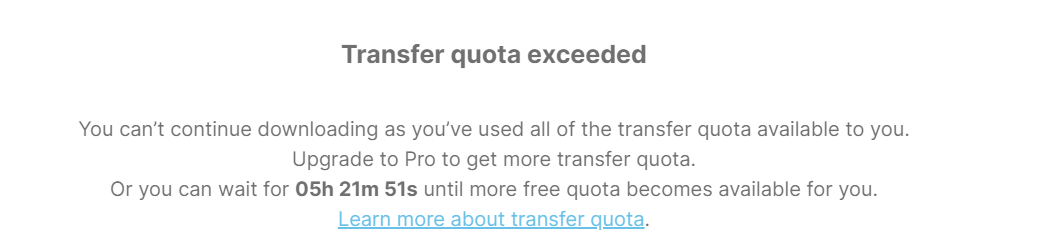
Instead of your file, you are greeted with a frustrating wall of text:
"Transfer quota exceeded. You can't continue downloading as you've used all of the transfer quota available to you."
Followed by the inevitable ultimatum: pay to upgrade to a "Pro" account, or sit down and wait for 5+ hours until your free quota resets.
If you are tired of your workflow being held hostage by restrictive cloud storage limits, you aren't alone. Let's break down why this happens and, more importantly, how you can skip the wait times forever with FileXL.com.
Why Do Cloud Services Impose Transfer Quotas?
When you see a "Transfer Quota Exceeded" message (most commonly associated with services like MEGA), it’s because that platform operates on a freemium model. Hosting and transferring massive amounts of data requires significant server bandwidth, which costs money.
To manage their server loads and push users toward paid subscriptions, these platforms place strict, often invisible caps on how much data a free user can download or upload within a specific timeframe (usually 24 hours or less). Once your IP address hits that data cap, your transfer is paused, and the countdown timer begins.
The Real Cost of Download Restrictions
While bandwidth limits might make sense for corporate server management, they are incredibly disruptive to the end user. These restrictions lead to:
Interrupted Workflows: Whether you are a student downloading a special course module, a researcher sharing datasets, or a creative professional sharing a promotional video, a 5-hour delay can ruin a deadline.
Forced Subscriptions: Users are often strong-armed into paying for premium tiers they don't actually need, just to access a single file.
Wasted Time: Trying to bypass these limits with VPNs, proxy servers, or IP resets is tedious and often ineffective against modern tracking methods.
There has to be a better way to share large files without hitting a paywall or a countdown timer.
Enter FileXL.com: Truly Limitless Large File Transfer
What if you never had to read the words "quota exceeded" ever again?
FileXL.com was built on a very simple premise: file sharing should be seamless, fast, and completely free of artificial roadblocks. Whether you are transferring gigabytes of raw footage or sending heavy document archives, FileXL eliminates the friction of traditional cloud storage.
Here is why FileXL.com is the ultimate alternative to restrictive file-sharing platforms:
1. Zero Upload or Download Restrictions
Forget data caps. At FileXL.com, we do not throttle your bandwidth, and we do not monitor your daily download volume to cut you off. You can upload massive files and your recipients can download them immediately, completely free of quotas.
2. No Frustrating Wait Times
There are no 5-hour countdown timers here. When you click download on FileXL, the file transfers immediately at the maximum speed your internet connection allows. No waiting in line, and no forced breaks.
3. No Forced "Pro" Upgrades to Access Your Files
You shouldn't have to pull out a credit card just to finish downloading a file someone sent you. FileXL is designed to facilitate large file transfers without holding your data for ransom behind a premium tier.
4. Clean, Brandable, and User-Friendly
We understand that when you send a file to a client, colleague, or friend, the delivery method reflects on you. FileXL offers a clean, distraction-free interface that gets straight to the point. Just drag, drop, and share the link.
Stop Waiting and Start Sharing
The next time a restrictive cloud service tells you that you have to wait hours to access your own data, close the tab.
File sharing in the modern era shouldn't be bottlenecked by outdated transfer quotas. Experience the freedom of truly unrestricted data sharing. Head over to